A stock ledger for Shopify. Every change to your stock, with the reason behind it.
StockLog is a Shopify app that keeps a ledger of every change to your stock.
It records each order, cancellation, restocked refund, import and manual
correction with its time and reason, and flags variants below their reorder
point. It is for merchants who need to explain a stock count that looks wrong.
It costs $7.99/month after a 7-day free trial.
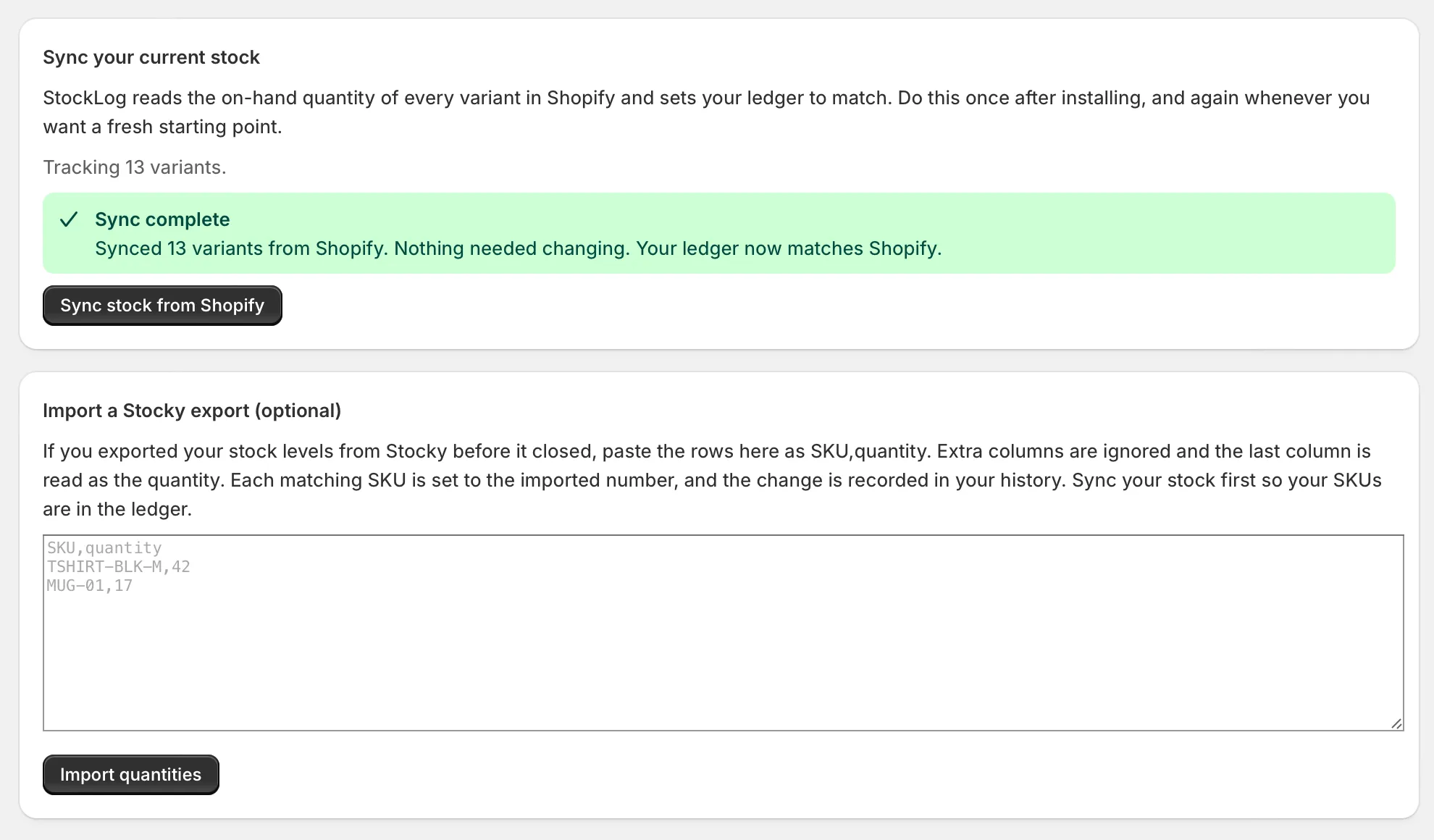
Install StockLog and press Sync stock from Shopify. It reads the on-hand quantity of every variant and opens your ledger at those numbers.
02
StockLog records every change
From then on, each order, cancellation and restocked refund is written to the ledger as Shopify reports it. Stocky imports and manual corrections go in too, each with its reason.
03
Check the history when a number looks wrong
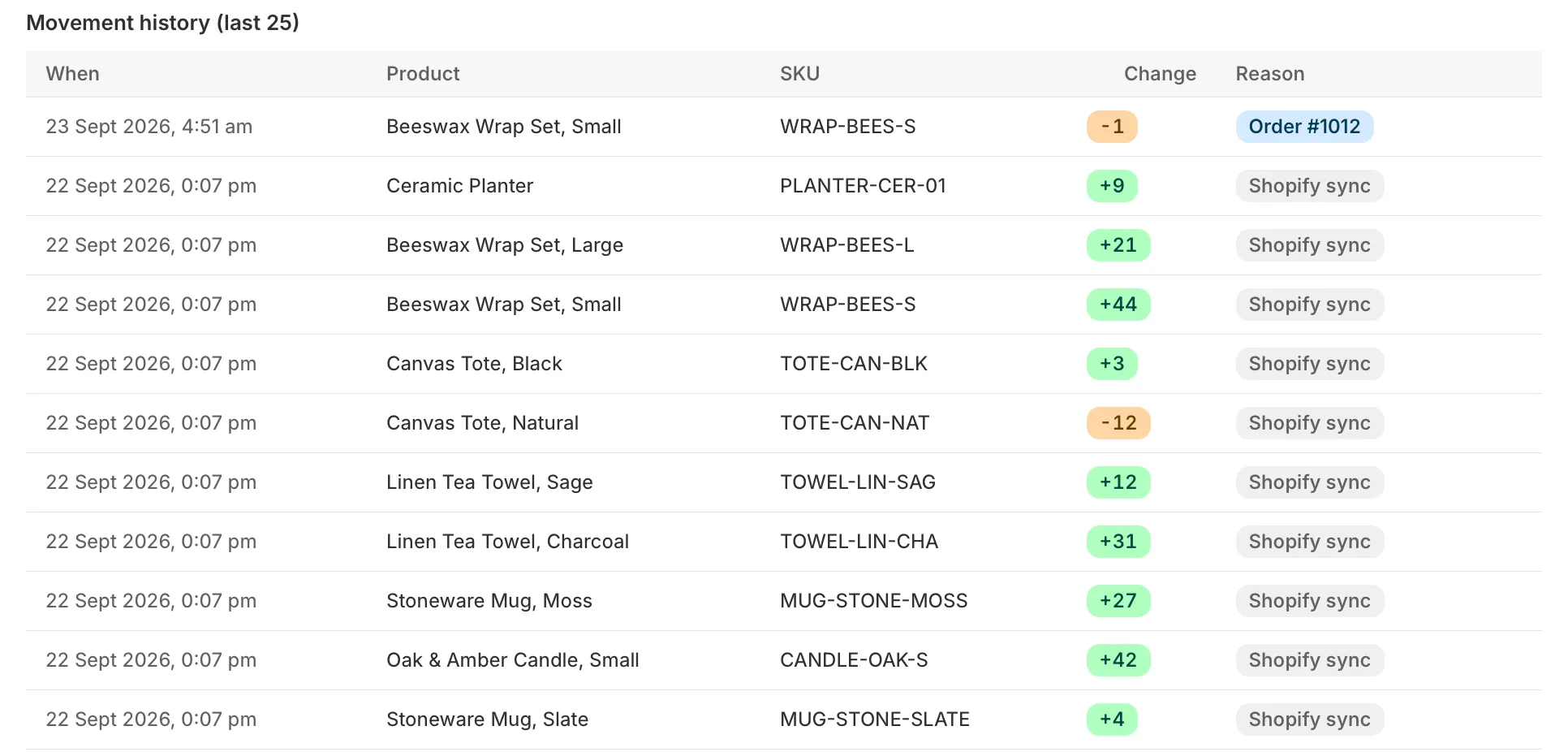
Open the movement history and filter it to that variant to see every change from its opening balance onward, newest first. Each row shows when the change happened, how many units moved and why.
What StockLog records
Each order counted once
Shopify sometimes sends the same order notification twice. StockLog spots the repeat and skips it, so your counts stay right.
The repeat usually comes from Shopify retrying a delivery that timed out. Before StockLog writes anything, it checks whether that order is already in the ledger, so a second copy changes nothing.
Refunds and cancellations put stock back
Cancel an order and its units return. Refund with restock ticked and those units go back into your ledger.
A refund without restock leaves the ledger alone, because nothing came back to the shelf. If an order is cancelled and later refunded, units the cancellation already returned are not added a second time.
A full record for every product
Every order, refund, import and correction is logged with the time and the reason, in your store’s timezone.
The time is shown in the timezone set in your Shopify admin, so a sale at 8:38 pm reads 8:38 pm and not the server’s clock. The movement history pages back through every row, and you can filter it to a single variant.
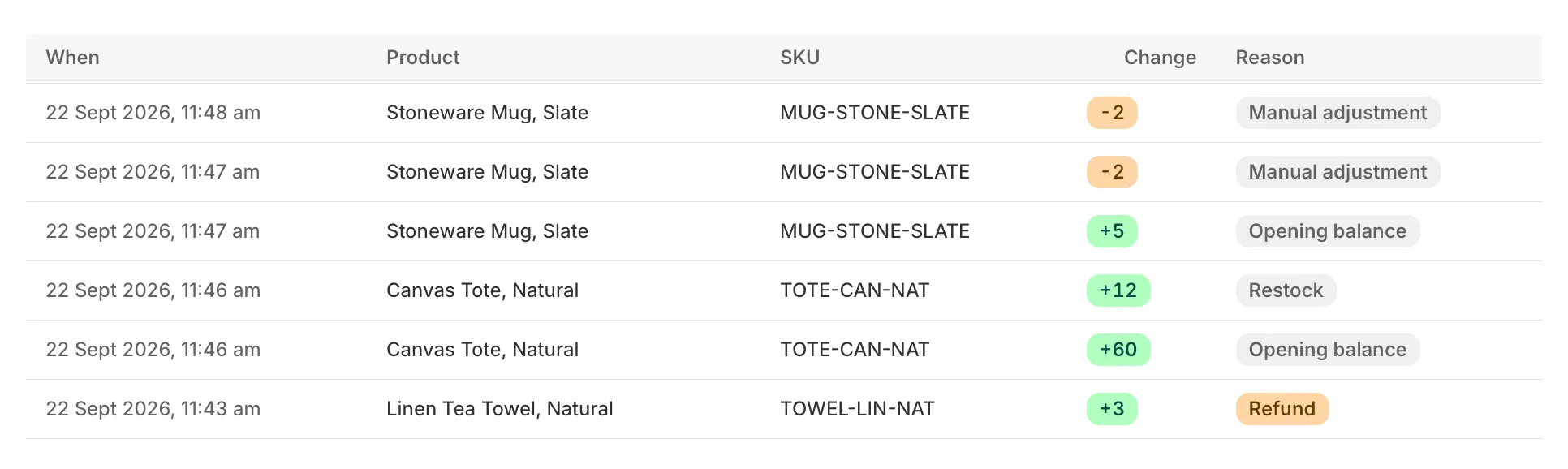
Every row carries one of these reasons
Order
units sold, one row per order line
Cancelled order
units returned when an order is cancelled
Refund
units returned by a refund with restock ticked
Restock
new stock you logged as arrived
Manual adjustment
a correction you logged by hand
Stocky import
a quantity set from your Stocky export
Shopify sync
the difference a sync found against Shopify
Opening balance
where a variant started when StockLog first saw it
Low stock before you run out
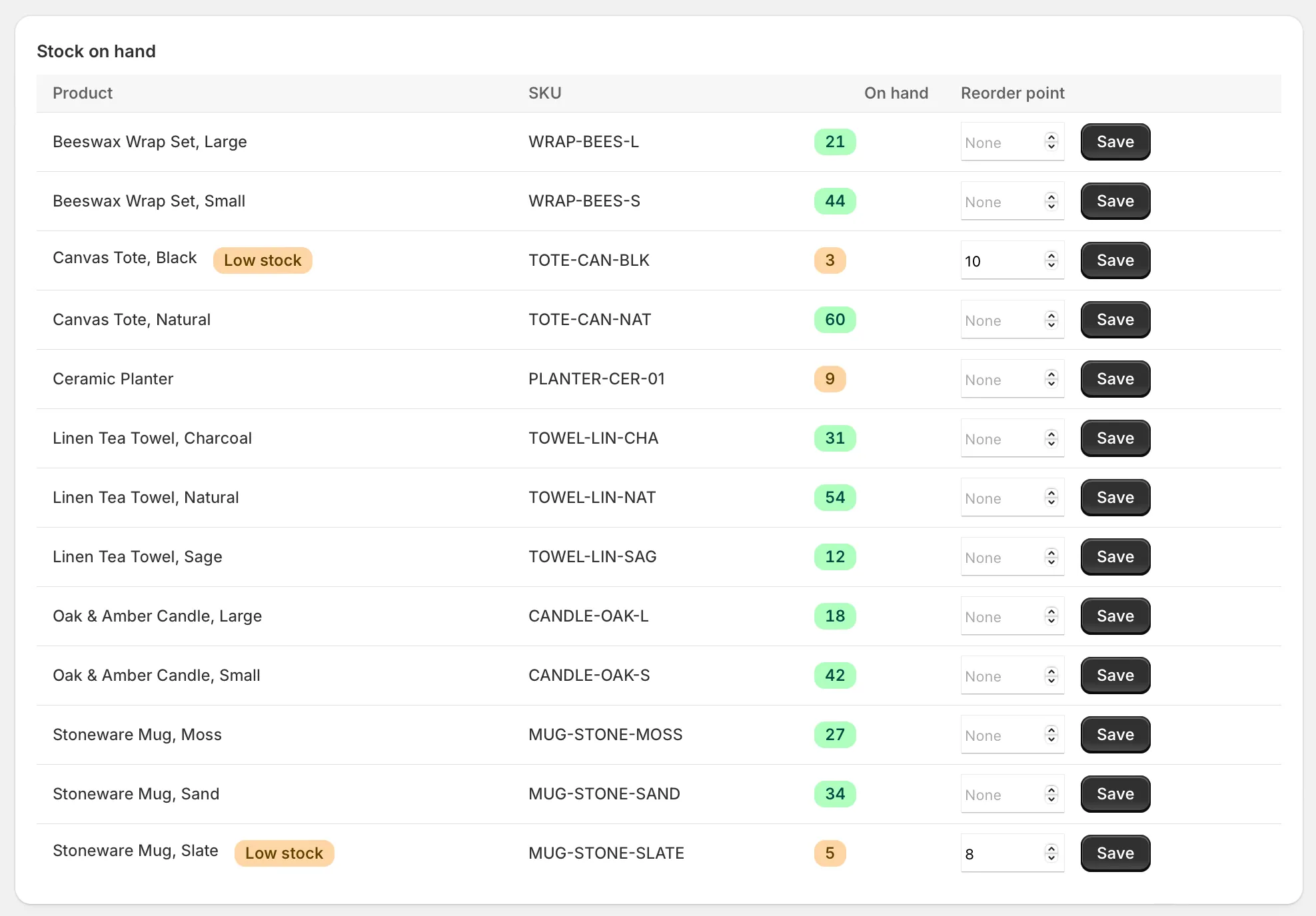
Set a reorder point on any variant and StockLog flags it when stock drops below.
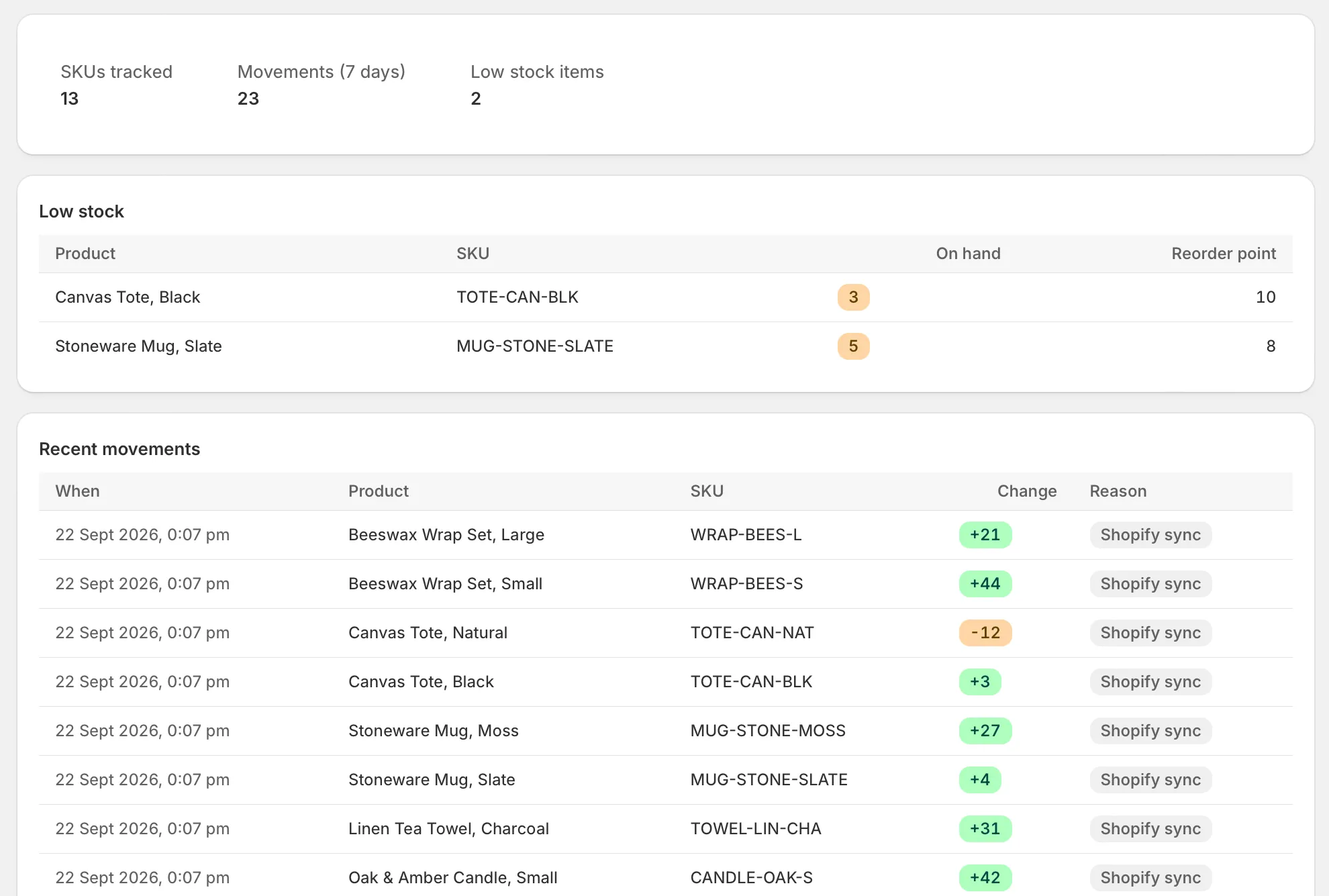
Flagged variants are listed on the StockLog home screen with the on-hand figure beside the reorder point. A variant with no reorder point set is never flagged.
Start from where you are
Sync your current Shopify stock in one click. If you kept a Stocky CSV export, paste it in and each SKU starts from its Stocky quantity.
Paste the rows as SKU and quantity. Extra columns are ignored and the last one is read as the quantity. Run the sync first, so your SKUs already exist in the ledger when the import matches them.
What StockLog doesn’t do
It is a ledger. Knowing where it stops saves you installing it for the wrong job.
It doesn’t change your Shopify stock levels. StockLog only asks Shopify for read access to orders and products. Shopify stays the source of truth for quantities.
It doesn’t forecast demand. It tells you what happened and flags what is low. It does not predict what you will sell next month.
It doesn’t raise purchase orders. A low stock flag tells you to reorder. Placing the order with your supplier is still done outside StockLog.
Not ready for a paid app? Stocky Swap is our free way to log
orders to Google Sheets with Make.com. Weighing up every option?
See the Stocky alternatives compared.
Pricing
One plan
$7.99/month
7-day free trial
Billed through Shopify, on your usual Shopify invoice
No. It records what happened; Shopify stays the source of truth for quantities.
What happens to my data if I uninstall?
Shopify sends a deletion request about 48 hours after uninstall, and StockLog deletes the shop’s ledger and settings when it arrives.
Does it work with multiple locations?
StockLog keeps one ledger row per variant, so it records a single stock total for each variant rather than a separate figure for each location. That total is the quantity Shopify reports for the variant across all your locations, so the ledger shows how much stock moved and why, but not which location it moved in.
Can I still import Stocky data?
Yes. Stocky shut down on 31 August 2026, but Shopify says read-only export stays open for at least 90 days after that date and has published no end date. Export your stock levels as a CSV now, then paste the rows into StockLog.
See where every unit went
Install StockLog, sync once, and the next number that looks wrong comes with its reason.