Stocky has shut down. Recover what you can and replace it free
Published: 10 March 2026 · Updated: 16 April 2026 · 10 min read · Ad Tracking

How CAPI Shield Closes the Shopify Conversion Tracking Gap

CAPI Shield sends Shopify purchase events server-to-server to Meta's Conversions API, bypassing the browser so iOS restrictions, Safari ITP and ad blockers cannot intercept them. It publishes no recovery percentage, because the figure depends on your traffic mix. You measure your own result as Additional Conversions Reported in Meta Events Manager.

Some links below are affiliate links (marked sponsored). They fund the free guides and never change a recommendation — our default pick on this page is a free tier. How we test & disclose →

Deep Dive: This article is part of our comprehensive tracking series. For the full masterclass on CAPI, GA4, and Server-Side tracking, see The Ultimate Shopify Tracking Hub.

Your Shopify dashboard shows 200 orders this month. Meta Ads Manager shows 80 purchases. The 120-order gap is not a reporting anomaly — it represents real sales that Meta’s algorithm never learned from. Every budget decision, every audience adjustment, every bid strategy is built on 40% of your actual data.

CAPI Shield sends purchase events server-to-server, bypassing every browser-based restriction that causes the gap in the first place. We do not publish a recovery percentage — we have no first-party measurement of one, and the honest answer is that it depends on your traffic mix. What we can show you is the mechanism, and exactly how to measure the result on your own store.

Want to close the gap on your own store? Follow the Shopify server-side tracking setup guide — free, runs on Make.com, deploys in 6 minutes.

Why Shopify Conversions Go Missing

Three separate mechanisms cause the same outcome — purchase events that Shopify records but Meta and Google never see:

iOS Link Tracking Protection strips Meta’s fbclid click identifier from URLs when links are shared via Private Browsing, Mail, and Messages. Without fbclid, Meta’s pixel cannot match the click to the subsequent purchase. No match means no attributed conversion.

Safari Intelligent Tracking Prevention (ITP) limits the lifespan of first-party cookies used for attribution. A customer who clicks a Meta ad on Monday and purchases on Wednesday may fall outside the cookie window. The pixel fires on purchase but cannot link it back to the ad click.

Ad blockers and browser privacy extensions block the Meta Pixel script from loading entirely. When the pixel doesn’t load, it sends zero events — no page views, no add-to-cart, no purchase.

All three mechanisms share the same fundamental weakness: they operate in the browser. A fix that operates at the server level bypasses all three simultaneously.

How Server-Side Conversion Recovery Works

When a customer completes a purchase on your Shopify store, two things happen:

Without CAPI Shield: Shopify records the order. The browser pixel attempts to fire a Purchase event — but iOS has stripped the click ID, ITP has cleared the cookie, or an ad blocker has prevented the pixel from loading. Meta receives nothing. The conversion is invisible.

With CAPI Shield: Shopify records the order. The browser pixel attempts to fire as before. Simultaneously, Shopify sends an Order Payment webhook to Make.com. Make.com immediately forwards a formatted purchase event directly to Meta’s Conversions API endpoint — server to server, with no browser involved. iOS restrictions, ITP, and ad blockers are irrelevant. Meta receives the conversion event.

The browser pixel and CAPI event carry matching event_id values. Meta deduplicates them — if the pixel event also arrived, it counts the purchase once. If only the CAPI event arrived (because the browser failed), it counts it from the server event. Either way, Meta gets the conversion.

What CAPI Shield Recovers — and What It Cannot

Recoverable conversions (CAPI Shield captures these):

Non-recoverable conversions (no tool can recover these):

How much of your own gap closes depends on how much of it is browser-side loss rather than genuinely non-attributable conversion. Those proportions differ by store, and we have not measured them across a sample, so we do not publish a figure. Meta does measure it per-advertiser: see Measuring the result below.

What Changes When the Gap Closes

Two effects follow from more complete conversion data:

Reported ROAS increases. More purchases appearing in Meta Ads Manager means higher reported ROAS for the same ad spend. Campaigns that appeared to be breaking even or underperforming may reveal themselves as genuinely profitable when the full conversion picture is visible.

Algorithm performance improves. Meta’s Advantage+ and Google’s Performance Max both use conversion data to optimise targeting, bidding, and delivery. When these algorithms train on 40% of your actual conversions, they make poorer decisions — showing your ads to people less likely to buy, bidding inefficiently, delivering to lower-intent audiences. More complete conversion data means better algorithmic decisions over the following 2–4 weeks.

This second effect is often more valuable than the reporting improvement. More complete conversion data does not just fix your dashboards — it changes what the algorithm learns from.

Deploying CAPI Shield

CAPI Shield is free and deploys in approximately 2–3 hours. It covers Meta Conversions API and Google Enhanced Conversions simultaneously in a single Make.com scenario.

The full step-by-step setup is at CAPI Shield. The overview:

  1. Create a free Make.com — free, 1,000 ops/month account
  2. Set up a Shopify Order Payment webhook pointing to Make.com
  3. Configure the Make.com HTTP module to call Meta’s CAPI endpoint with order data
  4. Add a second branch for Google Enhanced Conversions
  5. Configure deduplication event IDs
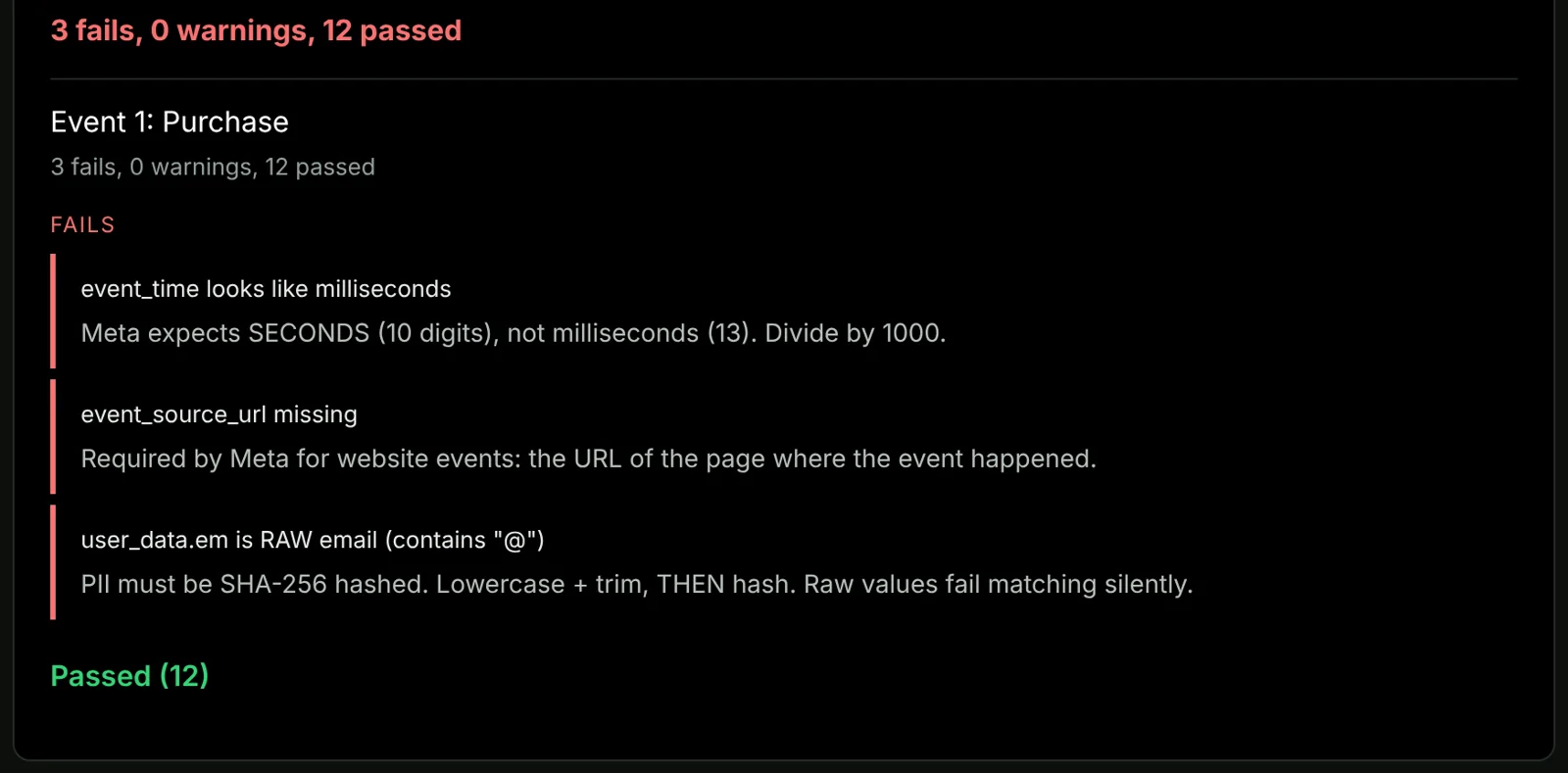
  6. Verify in Meta Events Manager that CAPI events are arriving alongside pixel events

After 7 days, check your Event Match Quality score in Meta Events Manager — target 6 or above. Check deduplication overlap — a healthy setup shows 80–95% overlap between pixel and CAPI events.

Measuring the Result

Before CAPI Shield: run a 30-day baseline. Record Shopify orders vs Meta reported purchases. Note the gap percentage.

After CAPI Shield (wait 14 days for data to stabilise): run the same 30-day comparison and read Meta’s own metric for this. Meta reports Additional Conversions Reported (ACR) — how many conversions the Conversions API added on top of the Pixel — in Events Manager, and exposes it programmatically through the Dataset Quality API. That number is measured on your data by Meta, not estimated by us.

Also check:

For the full diagnosis of your specific tracking situation — including which iOS change is causing the largest gap for your store — see the iOS conversion tracking fix guide.


Get the pre-built CAPI Shield file

The Complete Kit includes the CAPI Shield Make.com JSON blueprint — import it in 60 seconds, add one Shopify webhook, and server-side tracking is live. Also includes TikTok CAPI, Stocky Swap, and P&L Auto. $24 one-time, deploys in 10 minutes.

Get the Complete Kit — $24 →


See the full server-side setup

This guide covers the CAPI Shield implementation for Meta. For the complete Shopify server-side tracking guide for 2026 — including Google Enhanced Conversions and TikTok Events API in the same Make.com scenario — see the full setup guide.

Luke Sandelands
Written by Luke Sandelands
Founder, Stack Architect · Shopify Automation Specialist
Developer of StockLog and author of the open-source shopify-capi-validator npm package. Certified in Shopify server-side tracking, Meta CAPI, and Google Apps Script engineering.
Full profile and credentials · Last reviewed

Frequently Asked Questions

How many Shopify conversions am I losing to iOS tracking restrictions?

Shopify stores lose conversion events to iOS restrictions, ad blockers, and browser privacy settings. There is no industry figure worth quoting, because the amount depends on your traffic mix — stores with high iOS traffic from Instagram and email campaigns are most affected. You can calculate your specific gap by comparing Shopify order count against Meta Ads Manager reported purchases for the same 30-day period.

What is CAPI Shield and how does it work?

CAPI Shield is a free Make.com scenario that receives a Shopify Order Payment webhook and forwards a formatted purchase event directly to Meta's Conversions API and Google's Enhanced Conversions endpoint. Because the event travels server-to-server, iOS restrictions, Safari ITP, and ad blockers cannot interfere. The result is that purchase events reach Meta and Google regardless of what browser or device the customer used.

How much does CAPI Shield cost?

CAPI Shield is free. It runs on Make.com's free plan which includes 1,000 credits per month — sufficient for most stores under 500 orders per month given that server-side tracking uses approximately 2 operations per order. The only potential cost is a Google Tag Manager server-side container for advanced configurations, which runs approximately $10–30 per month — though the basic CAPI Shield setup does not require this.

Will CAPI Shield double-count my conversions?

No, when properly configured with deduplication. CAPI Shield includes an event_id that matches the event_id sent by the browser pixel. Meta and Google use this matching ID to identify that the pixel event and the CAPI event represent the same purchase and count it once. The CAPI Shield setup guide covers deduplication configuration in detail.

How long before CAPI Shield shows an effect?

The CAPI events start flowing immediately after setup. However, the impact on reported ROAS and campaign performance typically becomes visible 7–14 days after implementation, as Meta's and Google's algorithms adjust their optimisation models based on the more complete conversion data.