Deep Dive: This article is part of our comprehensive tracking series. For how the paid attribution tools compare with the free server-side route, see Shopify attribution tools compared.
Three converging changes in Q1 2026 are causing Shopify stores to lose Meta conversion data. The result: Meta’s algorithm optimises on incomplete data, ROAS reported in Ads Manager drops, and budgets get cut from campaigns that are actually working.
Why Shopify Shows More Sales Than Meta
Shopify counts every order. Meta counts only conversions traceable to ads within attribution windows. When tracking breaks, the gap grows, and the damage goes beyond underreporting.
The feedback loop problem: when Meta doesn’t see your conversions, its algorithm optimises toward different signals, often lower-quality ones like clicks and video views. Over weeks and months, this trains Meta’s delivery system to show your ads to people less likely to buy. The ROAS drop compounds the longer tracking is broken.
Cause 1: Apple’s link and cookie limits
Since iOS 17 (September 2023), Apple’s Link Tracking Protection has removed click identifiers such as Meta’s fbclid from links opened in Mail, Messages and Safari Private Browsing, and Safari’s Intelligent Tracking Prevention limits how long tracking cookies last. iOS 26 (September 2025) extended Advanced Fingerprinting Protection to all browsing; a beta also filtered click identifiers in ordinary browsing, but independent tests of the released version found that was not switched on by default (Able CDP).
So ordinary Safari sessions still usually carry the click identifier. The loss is concentrated in traffic from email, messages and private browsing, and in purchases made days after the click.
Cause 2: Shopify’s App Pixel Change (January 13, 2026)
On January 13, 2026, Shopify changed the default data sharing setting for all App Pixels from Always on to Optimized (Shopify changelog: New default setting for marketing pixel data sharing). You can set a pixel back to Always on under Settings → Customer events.
The changelog says Shopify monitors each marketing pixel, and when it sees zero signals from a pixel over days or weeks, it pauses that pixel’s data sharing until signals return. A pixel that is working normally keeps sharing; the risk is a pixel Shopify judges inactive, which then stops without any warning to you.
The free fix: Settings → Customer Events → App Pixels tab → Data column → switch from “Optimized” to “Always on.”
The setting applies to app pixels, including the Facebook & Instagram one; custom pixels do not have it.
Cause 3: Meta’s Algorithm Shift
Ongoing since mid-2025, Meta removed detailed targeting exclusions and pushed toward Advantage+ campaigns. Less targeting control can mean less efficient traffic at a higher cost, on top of the tracking gap.
Diagnose Your Tracking Gap in 5 Minutes
Step A: Pull Shopify order count
Shopify Admin → Analytics → Reports → Sales over time. Set date range to last 30 complete days. Record total order count.
Step B: Pull Meta Ads Manager purchases
Meta Ads Manager → Campaigns view. Use 7-day click, 1-day view attribution window. Record total purchases reported.
Step C: Calculate your gap
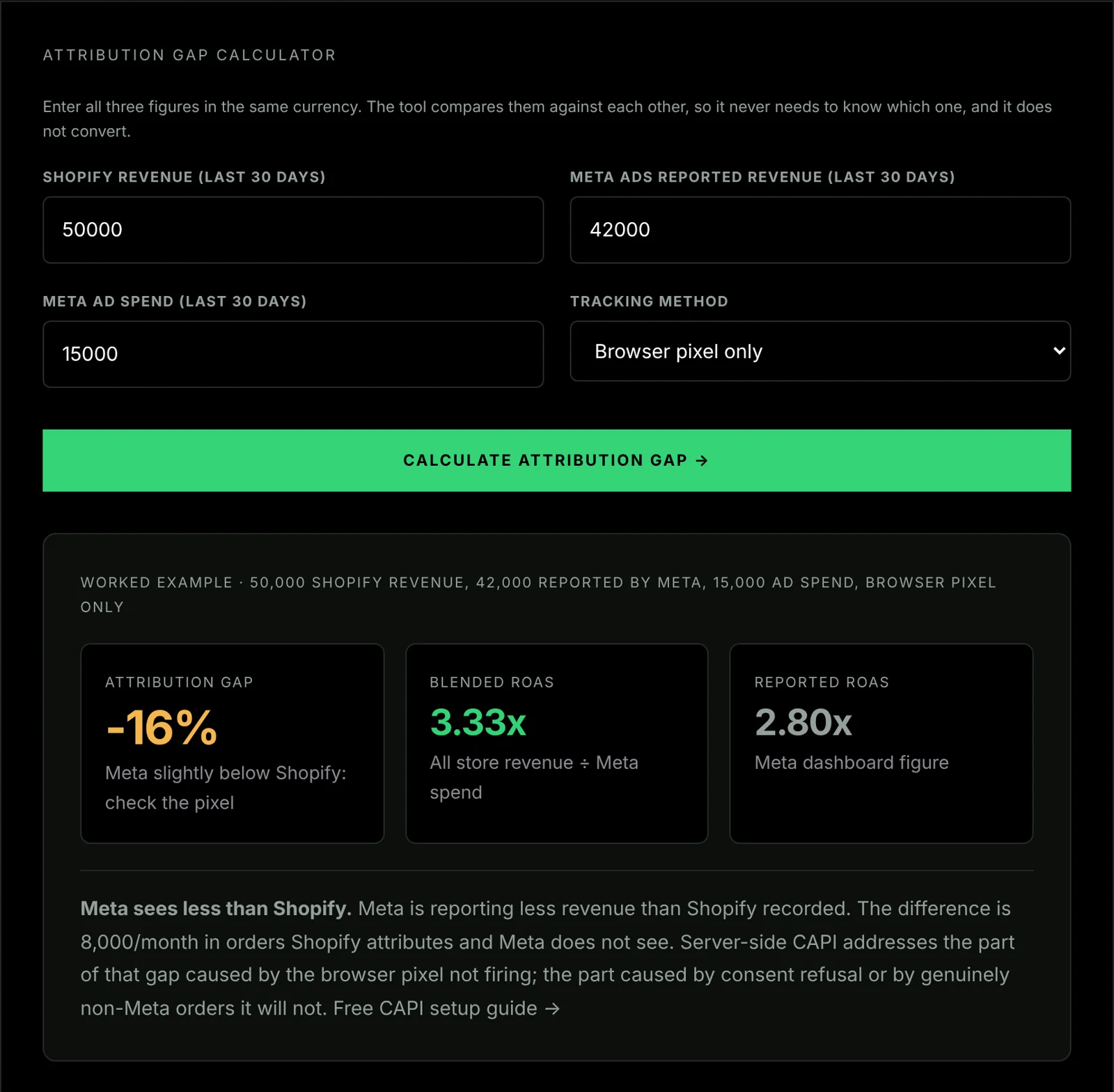
Gap % = (Shopify orders − Meta reported purchases) ÷ Shopify orders × 100
| Shopify orders (30 days) | Meta reported purchases | Gap |
|---|---|---|
| 200 | 120 | 40% |
| 200 | 80 | 60% |
| 200 | 160 | 20% |
Severity guide: no published source sets a threshold for this gap, so judge it by trend and scale:
- Wider than it was before the Q1 2026 changes: iOS impact present, fix worthwhile
- Large and still widening: tracking problem present
- Most Shopify orders missing from Meta: serious, fix immediately
Not every Shopify order comes from a Meta ad, so the gap is never zero and part of it is not lost tracking at all. That is why the trend matters more than the figure: a gap that widened when nothing else changed is the signal.
The Complete 6-Step Free Fix
Step 1: Switch App Pixel Mode to Always On (5 minutes)
Path: Settings → Customer Events → App Pixels tab → Data column
Set your Facebook & Instagram pixel to “Always on” so Shopify’s optimisation cannot pause it. Custom pixels do not have this setting.
Step 2: Verify Domain in Meta Business Suite (10 minutes)
Path: Meta Business Suite → Brand Safety → Domains → Verify domain
Domain verification confirms you control the domain your ads link to. Then note the Event Match Quality for the Purchase event in Meta Events Manager, so you can see whether later steps change it.
Step 3: Turn on Shopify’s Conversions API connection
Path: Sales channels → Facebook & Instagram → Settings → Data sharing settings. Turn on customer data sharing and choose a level.
Shopify’s help centre describes Standard as the Meta pixel only, and Enhanced and Maximum as using Meta’s Conversions API as well as the pixel (Shopify Help Center). For many stores this is the whole server-side fix, with nothing else to run. Meta also offers its own setup inside Events Manager; what Meta’s one-click Conversions API fixes, and the two gaps it leaves covers when that is enough.
Step 4 (instead of step 3, not as well): a webhook-based connection
Many older guides tell you to configure Aggregated Event Measurement and rank eight priority events. Meta removed that requirement in 2023, so skip it.
Use a webhook-based connection instead of Shopify’s Conversions API connection if you want purchases sent from Shopify’s order webhook, independent of the browser, or the same trigger to feed TikTok. Do not run both for Meta: two server connections can each send the same purchase, and Meta merges only events that share an event ID.
Meta Conversions API (CAPI) sends conversion events directly from your server to Meta: bypassing the browser, iOS tracking restrictions, ad blockers, and Shopify’s pixel throttling entirely. The Meta Conversions API documentation covers all required parameters; the key fields for Shopify are event_name, event_time, event_id (for deduplication), user_data.em (SHA-256 hashed email), and custom_data.value.
Implementation: a Make.com scenario that receives the Shopify order webhook and forwards a formatted purchase event to Meta’s Conversions API endpoint. No server to host and no GTM container, so the ongoing cost stays $0 on Make.com’s free plan.
CAPI Shield is the free step-by-step implementation guide for that route. It covers Meta’s Conversions API; for Google Ads, use the Google Ads conversion tracking guide.
The other route. A Google Tag Manager server-side container plus Shopify webhooks reaches the same place and is worth it if you already run one. GTM itself is free. Container hosting on Stape is free on its Free plan and $17/month on its Pro plan, billed $200 yearly (stape.io/price, read 25 September 2026), and the build takes 2–3 hours. That is the only non-free option in this guide.
Step 5: Verify deduplication and match quality after 7 days
Path: Meta Events Manager → Purchase event → Event Match Quality tab
After 7 days, check:
- Event Match Quality: Read the score Meta shows for the Purchase event and track it over time. We publish no target figure for this setup.
- Deduplication: Meta treats a Pixel event and a Conversions API event as the same purchase when the Pixel’s
eventIDmatches the server event’sevent_idand the event names match (Meta: deduplicate Pixel and server events). If the IDs do not match, purchases are counted twice.
If the score is low, review the customer data sent with each server event (email, phone number, external ID). Meta requires contact details such as email and phone to be SHA256-hashed after normalising them, for example trimming spaces and lower-casing email (Meta: customer information parameters). To check a server event before you send it, paste it into the Meta Conversions API payload validator.
Use Blended ROAS, Not Meta’s Reported ROAS
Meta’s reported ROAS is simultaneously inflated by attribution overlap and deflated by tracking loss. Neither direction is accurate.
Blended ROAS = Total Shopify revenue ÷ Total ad spend across all channels
Example: 5,000 total ad spend across every channel and 25,000 total Shopify revenue in the same period and currency gives a blended ROAS of 5.
This uses ground-truth revenue data from Shopify, which counts every order regardless of attribution. Before making any budget decisions based on Meta’s reported ROAS, calculate blended ROAS first. The most expensive mistake during a tracking crisis is pausing campaigns that are actually working because Meta can’t see the conversions.
What You Should See After Full CAPI Implementation
| Metric | Before | After |
|---|---|---|
| Shopify vs Meta gap | Wide | Narrowed to expected residual |
| Event Match Quality | Low | Rises with the match keys you send; read your own score |
| Deduplication | Low or none | Pixel and server events share an event_id |
| Pixel data sharing | Optimised (can pause) | Always on |
| CAPI events | Not visible | Visible alongside pixel |
Timeline: compare the same 30-day gap a month after the changes. We publish no expected ROAS improvement: it depends on your spend, creative and audience, and we have not measured it across a sample. Measure your own result as Additional Conversions Reported in Meta Events Manager.
The CAPI Shield setup guide covers every step of the full CAPI implementation including deduplication, event matching, and verification in Meta Events Manager. Once it has been running for a fortnight, recovering lost Shopify conversions with CAPI Shield shows how to read Additional Conversions Reported against your own order data: the difference between believing the gap closed and knowing by how much.