The free stack (Make.com free + Gmail + Google Sheets on a consumer account) is enough for many small stores for a long time. The upgrade to Make.com Core and Google Workspace makes sense at specific trigger points, and not before. This guide covers the 7 signals, what the upgrade actually changes, and how to migrate with zero downtime.
The Free Stack and Its Limits
The free automation stack runs on:
- Make.com free: 1,000 credits/month, webhook triggers included, multi-branch scenarios supported
- Gmail/Google account (consumer): Google Apps Script execution limited to 6 minutes per run, 90 minutes total daily trigger runtime, 250 document creates/day
- Google Sheets (consumer): No meaningful limits for most stores
How far the free plan stretches depends on how many credits one order uses in your scenarios. Open a recent run in Make.com’s history and note its credit count: 1,000 divided by that number is roughly your monthly order ceiling on the free plan.
The 7 Upgrade Signals
Signal 1: Make.com operations limit exceeded
Your scenarios stop before the month ends because the account has used its credits. Orders placed after that point are not processed until the allowance renews or you upgrade, and Shopify only retries a failed webhook for about four hours, so those orders are not simply queued.
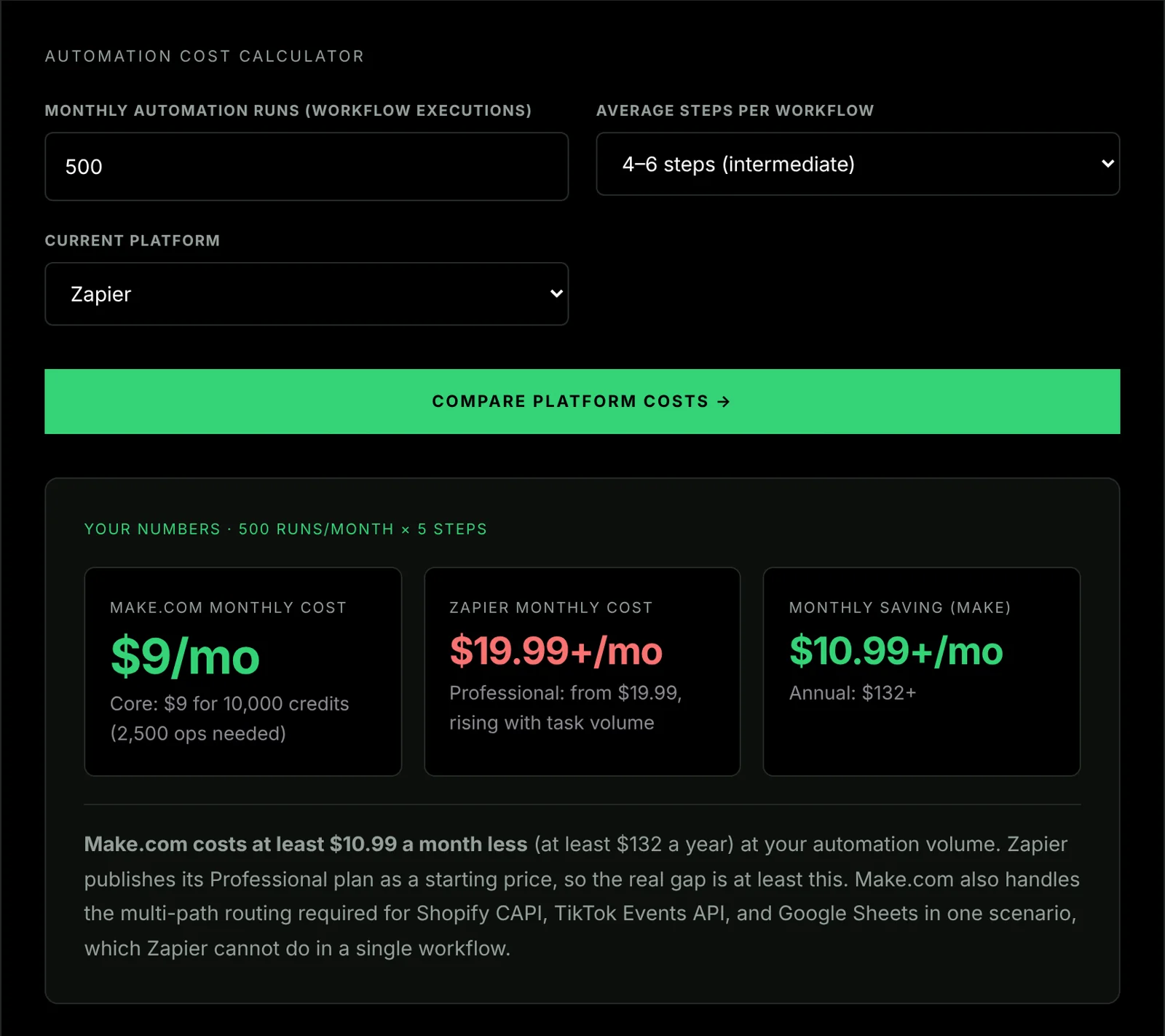
What to do: Upgrade to Make.com Core ($9/month for 10,000 credits). Divide 10,000 by the credits one order uses in your scenario history to see how far it stretches for you.
Before committing, work out whether the overrun is structural or seasonal, because the answer changes what you buy. Sustained growth justifies a permanent upgrade. A single spike does not: a store whose Black Friday weekend alone uses more credits than the free plan allows for the month needs a paid plan for that month, then can drop back. That is a November upgrade and a December downgrade, not a permanent change. The BFCM automation checklist shows how to budget credits for a peak from your own scenario history.
Signal 2: Google Apps Script timing out mid-run
If you have any automations using Google Apps Script (Autocrat, custom Sheets scripts, document generation), and they’re stopping mid-execution with “Exceeded maximum execution time”, you’ve hit the 6-minute consumer ceiling.
What to do: Upgrading to Google Workspace will not fix this: the 6-minute per-execution ceiling is identical on consumer and Workspace accounts. The real fixes are structural: batch your reads and writes so each run does less work, split the job into chunks that each finish inside 6 minutes (saving progress with PropertiesService between runs), or move the heavy work off Apps Script entirely onto Make.com, which does not run under Apps Script’s six-minute limit. Make.com’s free plan has its own five-minute limit per scenario run, but a scenario triggered by each order handles one order per run. The Google Apps Script quotas guide has the batching and chunking patterns.
Signal 3: Scripts working in the morning but failing in the afternoon
This is the daily trigger-runtime quota signal. Consumer accounts get 90 minutes of trigger-driven Apps Script runtime per day (manual runs are not counted). Once exhausted, trigger-driven scripts stop until the quota resets 24 hours after the first request of the day: a rolling window, not a fixed midnight cutoff.
What to do: Upgrade to Google Workspace. Workspace accounts get 6 hours of daily runtime: 4× more headroom. This symptom almost always means you’ve outgrown the consumer quota, not that your scripts have bugs.
Signal 4: Document generation becoming unreliable
If you use Autocrat or any document generation workflow and documents are being skipped, partially generated, or failing on busy days, you’ve hit the 250 document creates per day limit (consumer) or the document service call rate limit.
What to do: Upgrade to Google Workspace (1,500 document creates/day) or move document generation off Apps Script entirely into a Make.com scenario calling the Google Docs API directly: covered in the Autocrat quota fix guide.
Signal 5: You need multiple team members accessing automations
Consumer Google accounts belong to one person. If several people need company-owned Google files, shared drives, or addresses on your own domain, Google Workspace is the tidy way to do it. Make.com itself does not need Workspace: its team access is a Make.com plan feature, separate from your Google account.
What to do: Upgrade to Google Workspace. Note that it is priced per seat, so a second person is a second full seat, not a marginal add-on: the cost of this signal scales with headcount in a way the other six do not.
Signal 6: Email deliverability matters for automation-triggered emails
Consumer Gmail accounts have lower sending limits and worse deliverability for business email than Google Workspace accounts. If your Make.com scenarios send transactional emails (order confirmations, shipping notifications, custom triggers), Google Workspace provides better deliverability and a professional sender domain.
What to do: Upgrade to Google Workspace and use your custom domain email (you@yourdomain.com) as the sender for automation-triggered emails.
Signal 7: You want Google’s 99.9% uptime SLA
Consumer Google accounts have no SLA: if Gmail or Sheets goes down, your automations stop and there’s no obligation on Google’s part. Google Workspace commits to at least 99.9% monthly uptime, with service credits when it misses (workspace.google.com/terms/sla, read 25 September 2026).
What to do: Upgrade to Google Workspace if your automations are mission-critical for revenue (server-side tracking, order logging, inventory sync) and you need contractual uptime guarantees.
The Upgrade Decision
The typical upgrade is Make.com Core plus Google Workspace Business Starter for a single user. We quote one of those prices and not the other, deliberately.
Make.com Core is $9/month, verified against Make’s own pricing page on 29 August 2026. Make publishes a readable USD list price, so we can state it and tell you when we last read it.
Google Workspace we hold. Google’s pricing page geo-locks to the country you load it from, and annual and flexible billing differ by roughly 20%, so there is no single figure that is true for every reader: quoting one would mean picking a currency and a billing term on your behalf and not saying so. Check Google’s pricing page from where you actually are, on the billing term you would actually pick. A price we cannot source in the currency we would be quoting is a price we would rather not assert.
This is less of a problem than it sounds, because the number was never what the decision turned on. What you are buying is quota headroom, and that is fixed and checkable:
What this gets you:
- 10,000 Make.com credits/month
- 6 hours of daily Apps Script trigger runtime (up from 90 minutes)
- 100,000 UrlFetch calls/day (up from 20,000)
- 1,500 document creates per day
- Custom domain email
- Google Workspace SLA
The payback calculation is yours to make, and it is short: what do the failures you are seeing cost? An order that is never logged, a document that is never generated, or a tracking event that never reaches an ad platform each has a cost you can estimate for your own store. If that cost is clearly larger than the two subscriptions, upgrade. If it is a close call, you have probably not hit a real ceiling yet.
If you have read the signals above and you are past the ceiling, the two accounts to open are Make.com Core and Google Workspace.
Migration: Zero Downtime
Upgrading from consumer Google to Workspace requires migrating your Google account. This can be done without breaking your existing Make.com scenarios.
Step 1: Create your Google Workspace account
Sign up for Google Workspace Business Starter at workspace.google.com. Verify your domain. Create your primary user (e.g., you@yourdomain.com).
Step 2: Move Google Sheets to the new account
In your consumer Google account, go to each Sheets file used in your automation stack. Share it with your new Workspace email with Editor access. In the Workspace account, make a copy (File → Make a copy) so the Workspace account owns the file. The copy has a new file ID, so every Make.com module and script that points at the old file must be updated. An Apps Script project bound to the sheet is copied with it, but its triggers are not.
Step 3: Update Make.com connections
In Make.com, go to Connections and reconnect your Google Sheets and Google Drive connections using the new Workspace account credentials. Update the file references in each module to point to the copied files.
Step 4: Move Google Apps Script projects
Scripts bound to a copied sheet came across with it. For standalone scripts, create new projects in the Workspace account and copy the code. In every project, recreate the triggers (time-based, form submission and so on), because triggers belong to the account that created them and are never copied.
Step 5: Test with a live order
Place a test order in Shopify and verify the entire scenario runs correctly: Make.com receives the webhook, all branches execute, Sheets rows are created, and any Apps Script automation runs to completion.
Step 6: Disable consumer account automations
Once confirmed, delete or disable the triggers in your consumer Apps Script projects. This prevents duplicate automation runs during the transition.
Keep both accounts running in parallel until a real order has passed through every step on the Workspace side. That parallel period is what keeps downtime at zero; switch the old triggers off straight after, or orders will be processed twice.
The Bottom Line
Stay on the free stack until one of the 7 signals appears. When it does, the upgrade (Make.com Core + Google Workspace) is straightforward to justify. The Make.com beginner’s guide covers the initial setup, and the Google Apps Script quota guide covers the specific limits you’ll hit as volume grows.